Product
One file per inspection, from the drive out to the signed report
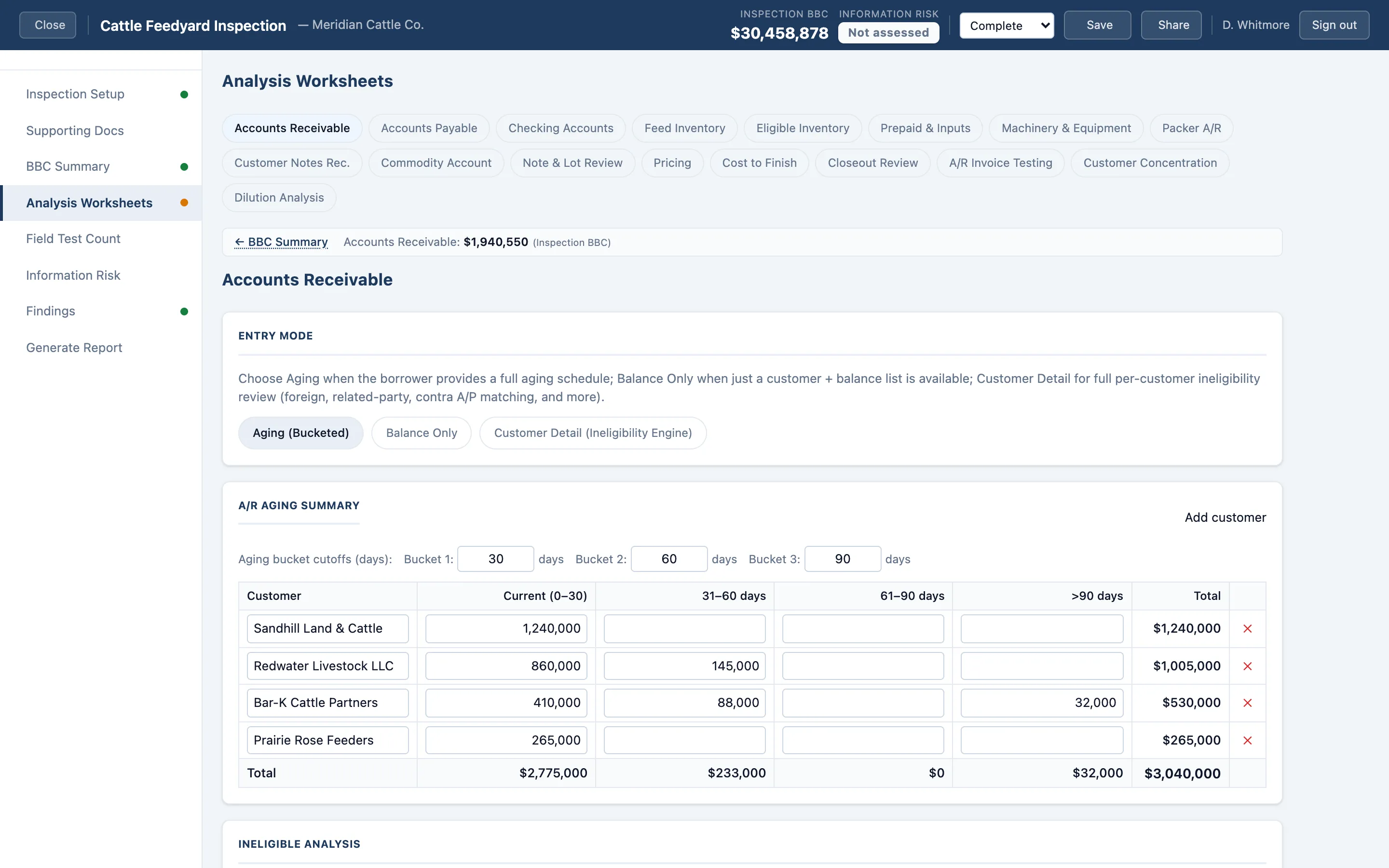
AgBaseline covers the whole engagement — setup, field verification, analysis, findings, and the finished document.
Five operation types, each with its own worksheets
- Cattle Feedyard
- Lots and owners, closeouts, cost-to-finish, hedge positions, feed inventory, packer receivables.
- Dairy Operation
- Herd by age class, milk production by location, milk receivables, prepaid expenses, feed and forage inventory.
- Beef Cattle (Cow-Calf)
- Breeding herd by class: cows, bulls, replacement heifers, and calves.
- Swine (Farrow-to-Finish)
- Breeding stock, nursery, and finishing inventory by production stage.
- Agribusiness / Food
- Receivable aging and ineligibility testing, customer concentration, inventory, and contra payables.
Inspect more than one operation type on a single borrower — worksheets combine into one borrowing base.
The analysis every sector needs
- Accounts receivable — aging, over-age and cross-age rules, customer concentration, invoice-level testing
- Accounts payable
- Machinery and equipment
- Growing crops
- Stored grain and commodities
- Prepaid expenses
- Notes receivable
- Hedge accounts
- Cash and checking
- Customer notes
Count in the field, on the device you already carry
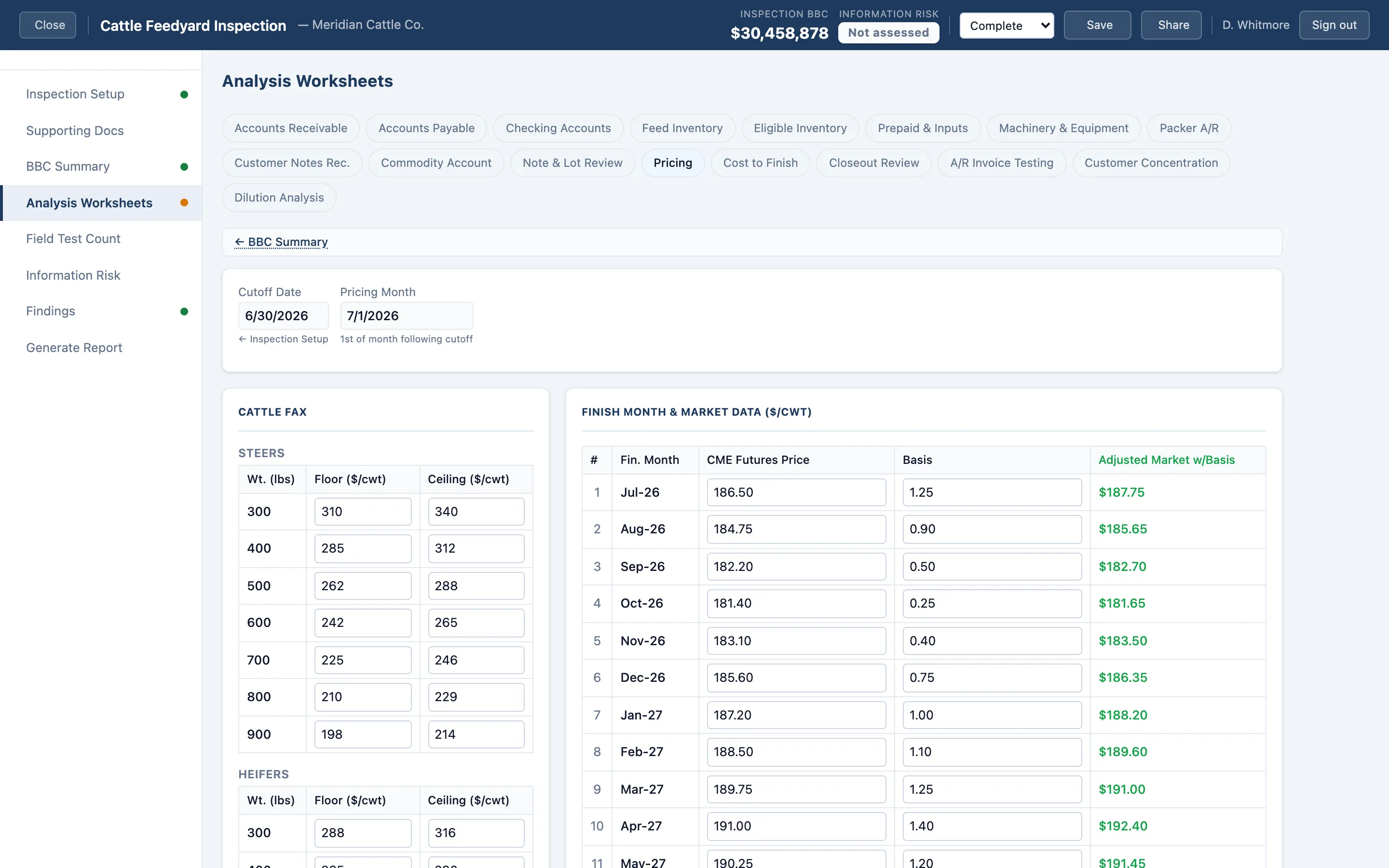
Record physical counts by location — head counts with a tap counter, silage piles by dimension, grain by bin — with photos attached.
Field counts attach to the inspection and appear in the report as their own appendix, kept separate from the borrowing base figures.
A document your credit committee already knows how to read
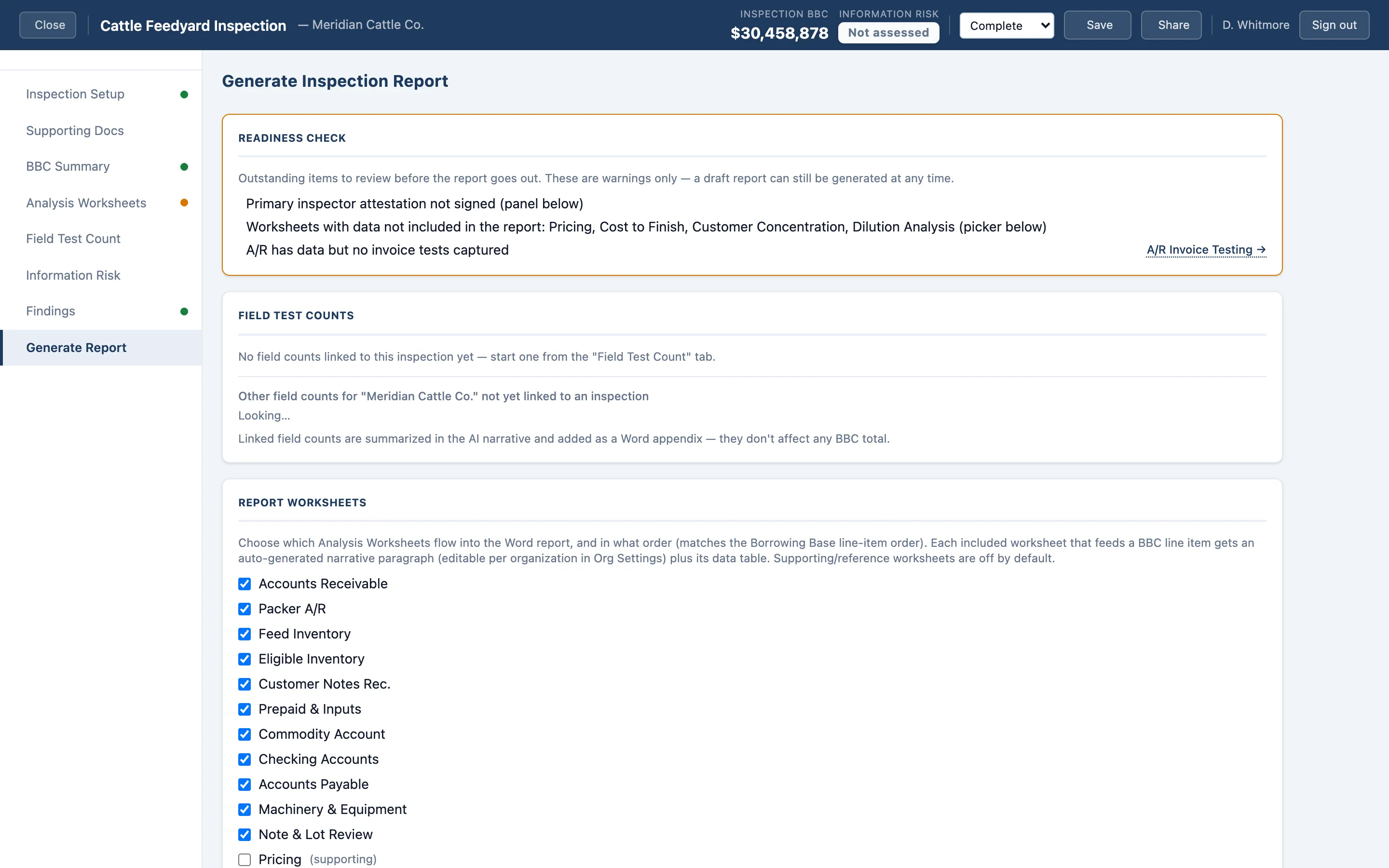
- Cover and engagement details
- Executive summary with the borrowing base result
- Scope of work
- Borrowing base detail by collateral category
- Findings and observations
- Risk assessment
- Supporting documents received
- Appendices including field counts
Generated as a Word document, so it edits, redlines, and files like every other credit document you produce.
What your inspectors did last quarter, without asking them
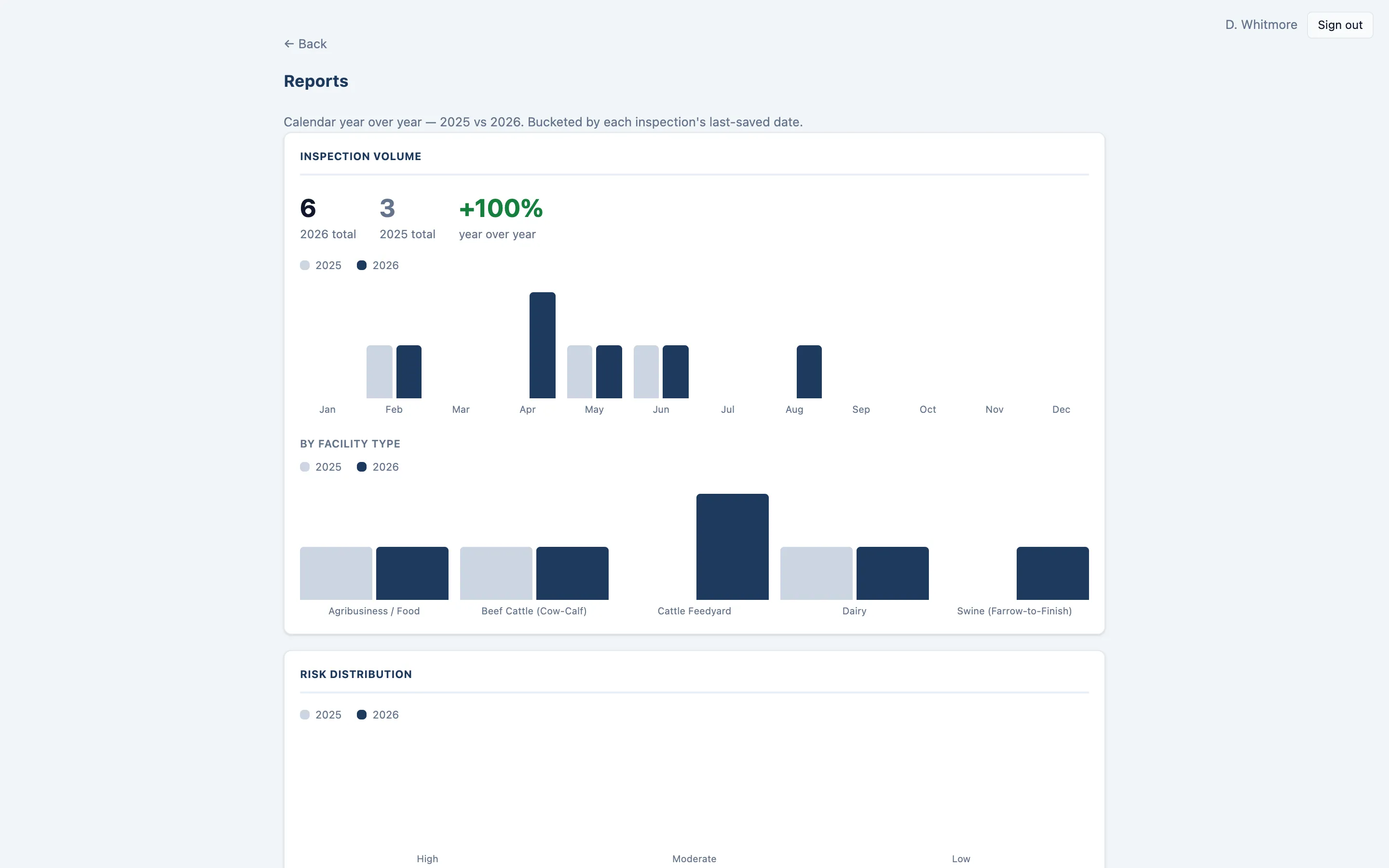
Inspection volume year over year, risk distribution across the portfolio, and per-inspector throughput — for managers and administrators.
See it against one of your own borrowers
Bring a real inspection you've already completed and we'll walk through what it looks like in AgBaseline.